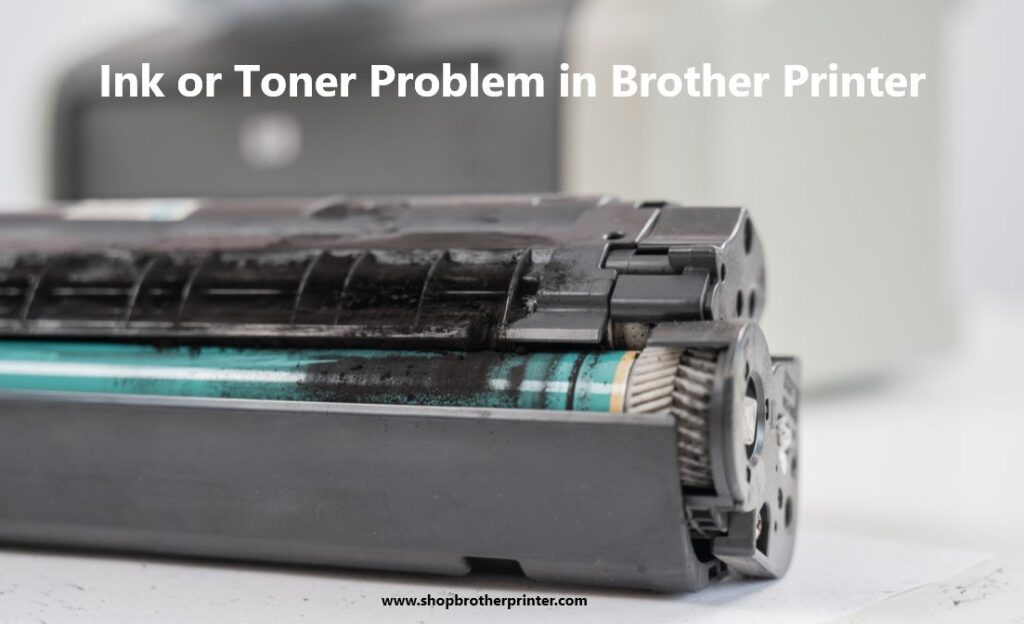
In brother printer we categorize printers by their technology and their functions or through prefixes also like HL (single-function), DCP (multi-function), MFC (multi-function center) and they all are known for their durability, low running cost, refillable ink tanks and efficient automatic duplex two side printing. Brother printer connectivity comes in dual band wi-fi, wi-fi direct and you can also print from your mobile through brother mobile connect app and for Apple devices use Apple AirPrint. Brother printers are widely used in homes and offices because of their reliability and cost efficiency. However, like any printing device they can sometimes develop ink or toner related problems and this problem get effects in your printing, slow down productivity and cause frustration if not handled correctly because it’s frustrating when you replace a toner only to find your brother printer not recognize new toner cartridge and by understanding these problems will save your time and help you to avoid repeated toner cartridge problem. Here we will guide you steps for the solution of the ink or toner problem in brother printer and the reason why brother printer is not recognizing new toner cartridges or you can directly ask for support from your support team on Brother customer support.
Reasons why brother printer is not identifying new toner cartridge:
1. Brother firmware updates blocking third party toner
2. Chips on cartridges store toner level data
3. Detection delay after installation
4. Incorrect installation or protective seals left on
5. Cartridge or drum confusion
6. Error message with generic toner like- toner life end, replace toner, cannot detect or no toner is installed.
Steps to fix brother printer ink or toner cartridge problem:
1. Restart brother printer to refresh detection
Sometimes the brother printer doesn’t refresh its memory after the toner cartridge changes, so first switch off the brother printer and unplug it for five minutes then restart the brother printer. Sometimes a simple reset often clears small toner cartridge problems.
2. Reinstall and check toner cartridge placement
Many errors come because toner cartridge is not placed correctly, so push the toner firmly until it clicks into drum unit then remove all packaging tape or seal if there is any and next double check each toner is in correct color slot because even minor wrong placement is also reason for brother printer not recognizing new toner.
3. Check cartridge model compatibility
The brother printer’s cartridges look alike but they are not interchangeable like TN227 and TN229 they don’t work in the same printer. If the brother printer is not recognizing the new toner cartridge then you have to confirm the toner cartridge model matches your brother printer’s all requirements or you can check the user manual for the correct number.
4. Clean toner cartridge chip and printer contacts
Chips tell the printer that how much toner is left and dirt or residue on it can prevent detection and to avoid that you have to locate the gold chip on the side of the toner then clean it gently with lint free cloth and then reinstall it and test.
5. Reset toner counter manually
If you brother printer is still showing toner life end then you have to reset the counter manually for that open the front cover and press back or X together and press back again then access the reset menu and choose toner color and confirms the reset and select STD (standard) or HC (high capacity) according to your toner cartridge because manually resetting toner cartridge in brother printer resets the toner level to full.
6. Reset drum counter
Replacing the drum without resetting its counter causes a replace drum error for that you have to hold OK + UP and select drum setting then reset and through this you don’t get unnecessary warnings.
7. Restore brother printer to its default setting
If all solutions fail and still your brother printer is not recognizing the new toner cartridge and showing error then you have to restore default settings by going to the menu and click on initial setup then select reset. It clears all internal software glitches that block toner recognition.
8. Replace or upgrade toner cartridge
If still your brother printer is not recognizing the new toner cartridge then maybe the cartridge is defective because many generic toners fail due to weak chips or poor build quality. In that type of scenario, we suggest you replace or upgrade toner instead of repeating resets.
In brother printer ink or toner cartridge problem is common frustration for laser printer users but this problem is caused by small things like installation errors, dirty contacts or by chip problem also but it can be fixed through some simple fixes such as restarting the brother printer, reseating the toner cartridge or resetting toner and cleaning the contacts and checking for the right cartridge model also prevents many toner cartridge problems by doing this solution you can get out from this problem but if you still facing issue after performing these steps then we suggest you to contact our customer support on Brother customer care.